MySQL and PHP Web Hosting
Ipinapakita ang mga post na may etiketa na FYI's. Ipakita ang lahat ng mga post

Sabado, Hunyo 23, 2012

Advertise here.

Hi there. I am looking for interested advertiser here in my little blog. i have a little decent topic that can probably be big when i can have my own domain to use of. I'm just offering my service to review your mobile products. i can give you real up time review within your product. i only charge for advertisements for only 50$ for one month the ads space in the header which in the size of 900px x 90px. 50$ a month is really our offer. plus with that 50$ i will review your item and tweet any updates for it. thanks and more power to all of you god bless.

you can reach me trough email s60master@gmail.com
i accept payment trough Libertyreserve.com email me first before proceeding to the transaction.

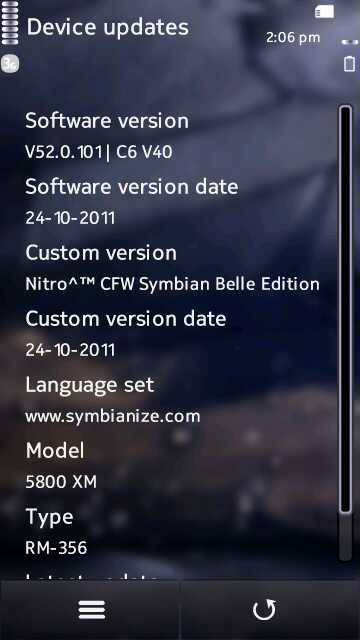
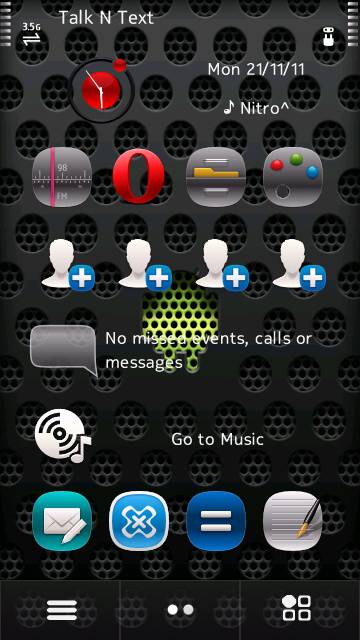
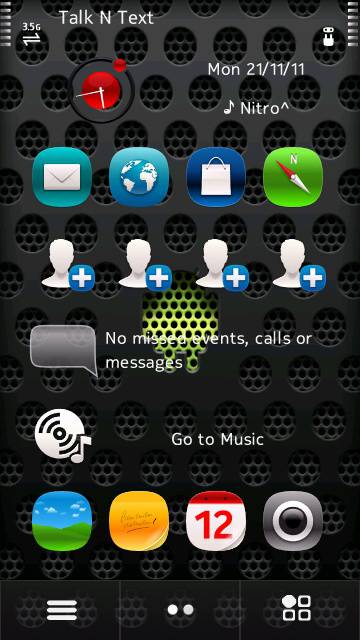
[HOT] Nitro^™ Cfw C6v40 Symbian Belle Edition

Then again credits to our friend jaorosario for this wonderful mod that i will share to you. hope you like it.


 Update for 5530Xm only


Update as of October 14, 2011


October 24,2011 Updates: (for 5800)
-Bootchanged
-Fixed the bug in camera app have a prob with the icon
-all mods from my updates updated


October 22,2011 Updates: (for 5530)

-changed Splash and shutdown
-Shutdown and restart button and Logo fixed
-Remove FOTA Cache
-Faster Scrolling in Music Player
-Music player heap size increased and Playback volume.
-Decrease theme preview
-N8 touch sense
-3G icon N9 by DJRAZ
-Open,close for apps speed increased
-UI acceleration increased
-Themes: Feathers by Arjun Arura by default

Download R0fs2


Previous updates: (for C6)

-Symbian Belle Logos changed - base package credits to notr3v3 of DM
-Music player Fixed!! thats my biggest achievement in this version
-show sim Contacts by deafult
-heap size playback volume increased
-decreased theme preview
-faster scrolling in music
-N8 touch/S'Belle sense
-playboy dialler - credits to devilbats
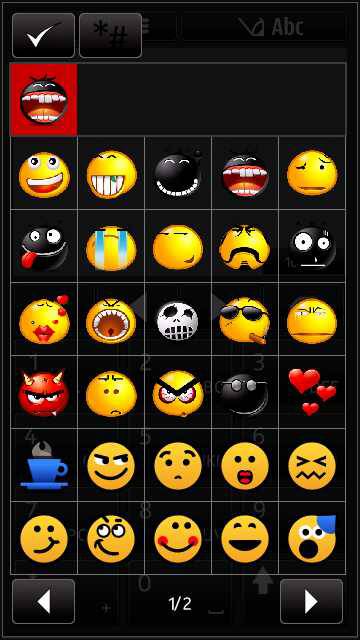
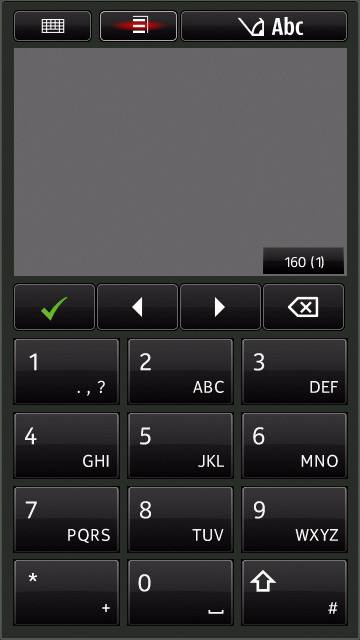
-supports smiley symbols on 6th page - messaging
-default Symbian Anna icons updated
-camera-video switch removed


Previous Updates:

-disabled device updates
-Symbian Belle Navi and Hs (credits to jomar)
-Perfect anna ic0ns (credits to jomar and Vova1609
-4G signal and battery icon (credits to jomar and djraz)
-mem0ry card ic0n
-default theme - Dusty by Arjun Aurura
-"message:" is rem0ved in messaging
-memcheck is integrated
-4x4 menu grid by default
-New clock Widget - all themes will be transparent (credits to drakulaboy)
-my default Hs widgets cust0mizati0n
-General profile is changed to Nitro^
-bluet0oth name default is Nitro^
-photo-video switch (credits to drakulaboy and ajrock)
-blank uda to get the ph0ne mem0ry in it highest mem0ry
-clean HS when you swipe
-Stylish warp theme effects
-all updated visual and performance m0ds is dropped
-downclocked to 50% to get a optimized battery usage. Y0u can feel this if y0ur n0t an addict in OM.

N0te:


Full flash is needed and use my files only.

Using other core,rofs3 or uda will brick y0ur phone.
This is strictly for C6-00 rm-612 only.
Updated rofs2 will vary if what package or cfw you want to use. Feedbacks are important.

Downloads:


For C6-00 RM 612

RM-612 Core,uda and rofs3

Nitro^CFW Symbian Belle FIXED Edition ROFS2


For 5530 RM 504

Nitro^ S'Belle Edition 5530 RM-504 COre,Rofs2 and Uda


For 5800 RM-356 v52.0.101

RM-356 V52.0.101 Core and UDA

Nitro^™Symbian Belle Edition RM-356 100% Bug Free R0fs2


Enjoy these release for now. and i'll add more when i come back.
like my post?? why dont you follow me and twitter and receive update directly from twitter. 

[HOT] Nitro^™ CHROME CFW for Nokia 5233 | 5232 | 5228 | 5230 | 5800 | 5530 | C6-00

Hi guy's this CFW is the most elegant and bug free that i am using i used this at my 5230Xm love it. try this guy's


Big Credits to sir Jaorosario for making this mod possible and shared with you guys.


Before Pceeding Learn how to flas first:click here.
Lets start:


Changelogs from Metal:

-Final effects "Nitro^ Chrome Exclusive" credits to Ermsk8r/sooy..

Thanks for the effort bro!!
-new input indicator on messaging
-ram on startup = 61mb
-ram after heavy usage = 50 to 56mb
-New themes credits to refsuj06 for editing, drigz for the base theme, and me for the background
-battery mod with a touch of speed. Credits to djraz, ken, and 000rohit.
-battery Electric icon from djraz
-Perfect Shiny Anna and N9 icons mixed by me
-integrated file browser
-now mp3 files can be only read in E: Music
-superb start up
-gallery delete button fixed with sbelle navibars
-now opening on apps are much faster.
-now you can make your own bootscreens
put your startup.gif, startup.mp3, shutdown.gif and shutdown.mp3 on e:boot

-reserved 5mb space on c after flash

-message viewer is set to small by default
-java permission mod (always allow)
-Touch vibrations is back Exclusive edited to make battery friendly.
-brightness option mod by dan-av
-press"0" to make bluetooth on
-new notification widget Anna Icon
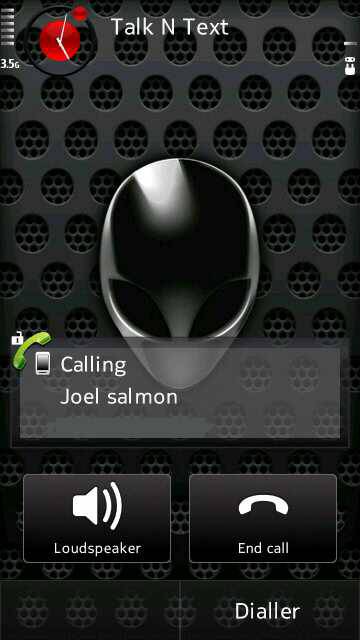
-new calls person backgrounds (alien chrome) Exclusive!!
-must see!!! new splash Created by Therick.. Thank you so Much bro!!


previous updates:


November 2011


-fully filtered the Symbian Belle and Navi bars and keys

-camera tap/touch is now working
-there is no bug in deleting mp3 files
-Full Customized startup and shutdown screens
-my own HS widget arrangements
-Full N9 icons by vova1609
-Alphanumeric mod by Dan av
-Smileys fixed by notr3v3
-6th page smileys on messsaging
-4*4 menu grid
-TV effects by gagan
-Metal theme by Daeva by default edited by me to make default icons cleared
-swipe screen to clear the screen
-5 additional shorcut bars on HS
-N8 rotation speed
-USb named after Nokia Nitro^
-default profile is Nitro^
-default bluetooth name is Nitro^
-Fixed Symbian Belle HS and Navibars credits to Notr3v3
-Downclocked to 75% to save battery life
-Rompather is integrated with Anna Icon with additional patches
-Memcheck is integrated with anna icon
-Auto installer is integrated
-Nokia Notifications with anna icons
-writing speed set to max
-Tap to unlock
-Faster scrolling in music player
-My menu layout
-Music and playback volume is increased
-N8 touch Sence Belle
-Open and Close Apps Speed by djraz
-Short multi tap
-Show sim Contact by default
-UI n8 accelaration mod
-Shutdown and restart logos
-Theme preview is decreased


October 2011


-N9 icons by vova1609

-injected installserver by VOVA1609
-Fully hacked without built in errors
-Chaged the startup and shutdown Screens
-Rompatcher integrated
-Pure font with smileys in 6th page
-Stop Nokia sms mod
-Writing speed set to max
-breathing lights off by default
-disable vibration on lock/unlock
-swipe HS clean
-TV effects by gagan
-application policy mod
-great battery life
-removed message lag
-ram saves after exit on camera
-megastart up mod
-prevents apps in running in background
-improved ui games and performance
-improved rotation speed
-improved heap size
-improved wifi sensitivity
-cache in all drives for much faster performance
-Auto Installer integrated (you can download my extra files. Put thinkchange folder to drive E and run auto installer)


Downloads:


For 5800 v60 Latest Firmware or Below

Nitro^™ Chrome 5800 RM-356 v60 Core and R0fs2

----------------

For C6-00 v41 latest Firmware or Below

Nitro^™ Chrome C6-00 RM-612 v41 Core and R0fs2

Nitro^™ Chrome C6-00 RM612 v41 R0fs2 (11-26-11)

----------------

For 5530 v40 Latest Firmware or Below

Nitro^™ Chrome 5530 v40 RM-504 COre and Rofs2 (BETA)

Update: 12-14-11
Nitro^™ Chrome 5530 v40 RM-504 COre and Rofs2 (BETA 2)


------------------


For 5233, 5232, and 5228 RM-625 v50 and Below

Nitro^™ Chrome 5233 Rm-625 Core and R0fs2


-----------------


For 5230 Rm-588 v50 and below

Nitro^™ Chrome 5230 Rm-588 Core and R0fs2


Regards,

jhaorosario01

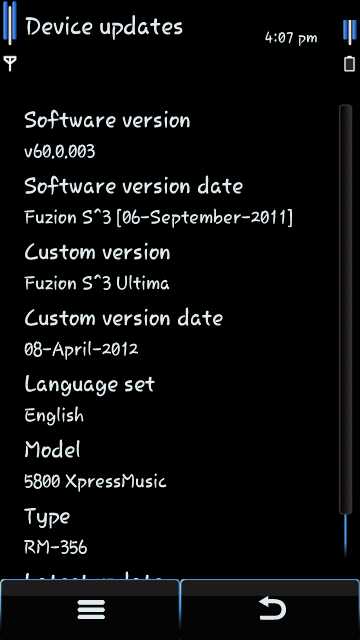
[HOT] [CFW] Fuzion S^3 ULTIMA 5800 RM-356 v60.0.003 C6V40

hi guy's this is my favorite CFW for my 5800 this is my main CFW. credits to kandongango17 for making this mode possible.
 lets start for the images and teaser's

Fuzion S^3 ULTIMA EDITION

5800 RM-356 v60.0.003


lock Screen:

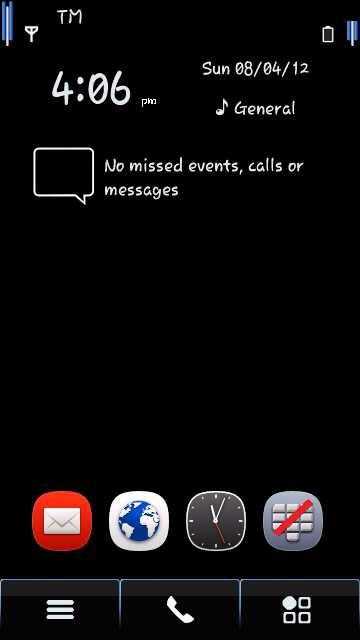
Home Screen:
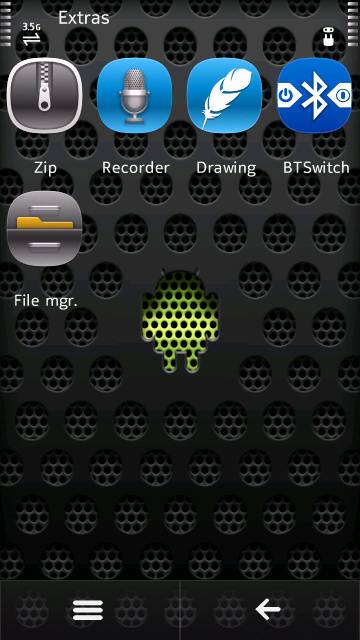
Menu:


Change Logs:

April 8, 2012


BIG CREDITS to ash0103 for his mods


BIG CREDITS to nevar27 for the time, for the new font


BIG CREDITS to shiwawa1, he is my beta tester


1. WLAN Probe Request rate is set to 2mbps from 1mpbs


2. Buffer Time decreased when scrolling


3. Scrolling on list is made faster


4. Pop-up fade-in and fade-out time is made 20% faster


5. Pop-up slide-in and slide-out time is also made 20% faster


6. List looping is enabled


7. Nokia 808 Default Tones


8. Default Date Changed to April 08, 2012


9. Still Looking fo a good theme effects [to follow]


10. I will make a new themes [to follow]


11. New Fonts Samsung Star


12. New Symbols on messaging


January 13, 2012


1. New Theme Effects [Lightning Torpedo Effects]

2. New Themes [Gagawin Ko Pa]
3. Slide to Unlock Iphone Style is Back
4. Slide to Unlock Will Not Go Landscape
5. Vacuum Application is Integrated for Personalized Widgets [credits to xXxiLoVeYoUxXx]
6. Default Date Changed
7. That's All, Wala Na Po Akong Mai-Update Pa


Change Logs:


December 25, 2011


1. New Icons [Folders, Settings, and Clock]

2. New Theme Effects [Torpedo Twisted World remod by me]
3. New Menu Arrangement
4. New Themes [Fuzion S^3 Torpedo]
5. Notification Widget on Second Shortcut
6. Tap To Unlock [This Will Not Go On Landscape]
7. New Dialer Icon [credits to refsuj06, ran19 and drigz]
8. Default Date Changed
9. New CFW name [Fuzion S^3 Torpedo]


Change Logs:


December 02, 2011


1. New Simple Theme Effects [Discrete Secresso(FIXED)] made by me

2. New Icons of Internet Folder, Contacts, Calendar, Web, Logs, Clock, Videos and TV and Messaging [credits to refsuj06]
3. Smiley's Size Increased [credits to jomar]
4. Improved UI and Rotation [credits to ash0103]
5. Slide to Unlock Iphone Style is Back
6. New Themes and Wallpaper
7. Default Date Changed [02/12/2011]


Change Logs:


November 07, 2011


CFW for v60.0.003 is available now!

[betatester-porkenvinz]

1. Navi Bar Mod OK buttons fixed [credits to me, DM modders, and badvlad]

2. New Theme Effects [S^3 Destructo] [credits to me and gagan1491]
3. New Eye Candy Themes [Fuzion S^3 XP]
4. Icons on Destination made black and white [Use Fuzion S^3 [T] themes] [credits to silver_ice]
5. New Slide to Unlock [credits to TREGE and silver_ice]
7. Default date change
6. Wallpaper pack [soon]


Change Logs:


October 31, 2011


1. Smiley bug fixed [credits to jomar]

2. New Notification widget [credits to devilbats17]
3. Theme Effects re-modded


Change Logs:


October 23, 2011


For 5800 Users Only


1. New Theme Effects. [remodded by me to have more speed, thanks to gagan of DM]

2. New Shutdown screen.
3. New Touch UI [imbaness]. [credits to johnrey22]
4. Default theme pop ups made transparent. [credits to refjus06]
5. Bring back old Icon of messaging.
6. Default date change to 10/23/2011.
7. Default widgets after flash changed to profile widget, notification widget, and shortcut 1 widget.
8. FINALE


Change Logs:


October 17, 2011


For 5800 Users Only


1. New Icons [credits to refsu06]

2. UPDATED NO BUGS Symbian Belle Navi Bar [credits to jomar, badvlad, furcom, babu.rajiv2007 and to me ]
3. NokiaBrowser 7.3.1.31 with Navi Bar [credits to evildeath007of DM and badvlad]
4. END


October 10, 2011


For 5800 Users Only


1. NO BUGS Symbian Belle Navi Bar [credits to jomar, badvlad, furcom, babu.rajiv2007 and to me
]
2. New set of Anna Icons [credits to refsuj06 and johnrey22]
3. New Anna Icon for QuickOffice [credits to silver_ice]
4. No "message" in write message
5. Default Date changed to 10.10.2011
6. Show Open Apps is back
7. Different Photos Icon in Home Screen and in Menu [I'll fix the icon when you hold the menu and photos is open, i don't know the entry]
8. Daming puyat at pagod ko dito credits to me


October 02, 2011


1. show sim contacts by default

2. slide to unlock on landscape
3. notification widget remod by me
4. shortmultitap
5. micro sd icon on file manager
6. new theme effects! [belle effects remod by me]
7. new splashscreen
8. n8 touch sense
9. pop up fader [by devilbats17]
10. belle wallpaper pack [located on third post]
11. new apps icons [by refsuj]


September 06, 2011


iphone like kinetic scroll

new super cool battery mod by devilbats
visual mods by djraz
n9 icons used
killme, memory check, dictionary, and quick office integrated
swipe to unlock changed to slide to unlock mod by me
dark steel theme by default
theme effects mod by me "Bursting Black Hole"
cross dialer
original media bar
new anna notification
menu arrange by me

the rest of the mods are the same with other cfw


Good to Know


For boot screen, follow this path.


e:\data\boot\Startup.gif

e:\data\boot\Startup.mp3
e:\data\boot\Shutdown.gif
e:\data\boot\Shutdown.mp3

For saving path of files, follow this path.


Images = e\images

Music,mp3 = e\music
Videos = e\videos

Learn how To Flash Here.


Fuzion S^3-5800.RM-356_60.0.003c6v40.0.021_prd.rofs2.V05


RM-356_60.0.003_core and uda

[HOT] Tutorials on how to use JAF

In this verse of our new update this is all about Symbian now. to help other Symbian owners to have a customized feel of their Symbian phone.
note:
"you can post here all your suggestions and other question. for example you can;t do it your self or your to afraid to do it. let me help you out. if I'm online just drop me a message at s60master@gmail.com include your name and query and I'll do my best to help. you when asking questions please provide screen shots of the said error or problem. I'll guide you trough out the process so don't be afraid.

so lets start.
things you needed:
Jaf Click here
Pkey: Click here. 
Nokia PC suite: click here


things you need to consider before proceeding to the next level.
  1. don't be so excited. sometimes being excited makes you have some mistake without noticing them. so be calm as possible.
  2. check your usb cable if it processing fine. this process may take up to 3mins. well not that long right. yet it is risky because it can kill you phone.
  3. be guided on the whole process i will provide the things necessary for you to easily follow the tutorial. screen shots are also provided to help you in the whole process.
  4. be productive in terms of problem. don't panic and make it worst. go over here and I'll help you out and never have any problems ok because it can be revive if it is only killed by flashing but if not it is not my fault.
  5. you need a full battery or even 50% of it's full.
  6. disable your antivirus if you have any.
  7. after completed the installation of your JAF and PC suite you must restart your PC.
Warning:
5800 USERS if your unit's LCD had been replaced already don't proceed in here. it will kill your screen.
Don't Upgrade your FW using FOTA and PC suite.


STEP 1

Install ALL the need FILES like JAF, PC SUITE, etc etc


STEP 2


Open Jap Pkey v5 and Click GO


If you using VISTA run as ADMIN

If you using WINDOWS 7 go to properties and change the compatibility mode to windows xp sp3 or sp2 and run as ADMIN

STEP 3


If the POP up window appear just ignore, and click OK and new window appear go to BB5 tab then Follow the CHECK on PICTURE below


STEP 4

Now CLICK MCU and browse your downloaded CORE files (.c0r)


STEP 5

Next is the PPM click it and browse your downloaded ROFS2 (.rofs2)


STEP 6

Next is the APE Variant browse and select (.uda)


any variant that has .UDA in any CFW file is the APE variant so it does not need a screen shot because every .uda file are different from one another.

STEP 7


Turn off your phone and Connect Your Phone to USB


STEP 8


CLICK " FLASH" and YES,


Then if the jaf status screen view like this..


Quote:

Searching your phone.....
Now Just press the Power Button on your phone a little
(just for about 1 second or wait the "doink" usb connected sound)

then release if the status screen view like this..


Quote:

searching your phone.......found!
then wait until it say's DONE and disconnect your phone from USB cable...
Enjoy your Customized phone...


Enjoy Your new Optimized Phone..
any problem regarding flashing must be posted in here.
like my post?
feel free to follow me and receive more update from me.
thanks and happy reading.

Linggo, Hunyo 17, 2012

hot centsforyou.com earn now


join this comprehensive forum all dedicated to earning i=online. join this and get paid for your post. 0.02 cents per post the you can request a payment after you reach a total of 300cents4ucredits well join now i'm currently posting in here. to earn some points and maybe can earn some. join now.
register here: http://centsforyou.com

Lunes, Abril 30, 2012

More Android enhancements


What Is Rooting?

Source: Androidpolice

Getting root or rooting your phone is the process of modifying the operating system on your device to grant you complete control over it.

This means you can overcome limitations that the carriers and manufacturers put on your phone, extend system functionality, and even upgrade it to a custom flavor of Android.

The name root comes from the Linux operating system world, where the most privileged user on the system (otherwise known as Administrator on Windows) is called root.

Installing a ROM may require rooting first, but just rooting can be done in only a few minutes, keeping your stock OS otherwise completely intact.

Warning: rooting your phone does run the risk of potentially bricking it (i.e. your phone could become nonfunctional) – so do your homework before attempting anything.


Benefits Of Rooting

Full Control Over AndroidYou have access to alter any system files, use themes, change boot images, delete annoying stock apps, such as Google Apps, and other various native applications that consume precious RAM (Footprints, Voice Dialer, etc).

Back Up The System

On most rooted Android devices, you can backup your entire system to an SD card, much in the same way you can image a hard drive. This is great if you’d like to try a new ROM, as you can back up your phone, wipe it completely, flash the new ROM, and if you don’t like it, you can just restore from your backup and your phone will be exactly how it was before you wiped it.

These options are usually found in a Custom Recovery or via a 3rd party application called ROM Manager. (Note that this app is not compatible with all devices)

Save Space On Your Phone

Move cache data and/or dalvik-cache to SD card

Rooting allows you to save things like browser cache to your SD card to free up space. Its not too complicated a process, but does take a bit of skill.

Move installed applications to SD card

Moving and storing apps on internal memory can significantly slow your device down. If you root, you can avoid that completely.

The easiest way to move applications to your SD card would be to flash a custom ROM that just does it for you (using an app called Apps2SD)

Run Special Applications
* Super User – allows you to approve or deny root access to any application
* Memory Managers – kills tasks you wouldn’t be able to otherwise
* Move Cache for Root – move cache for browser, market, maps, street view, and gmail onto SD card
* Startup Managers – Clean up android system from system startup to boost system power and memory from the get go
* SetCPU for Root Users – Overclocking your rooted device lets you speed up your phone’s processor when you are using it and lets you slow it down when it goes into "sleep" mode. It can either be a battery hog or battery saver.

Install Custom ROMs

They’ve gone far beyond simple tweaks and can now give your phone an entirely new look and feel. There are ROMs that can make your phone fly by replacing the kernel with hyper-optimized versions or even overclocking the CPU. The possibilities are nearly limitless and attempting to cover all of the features of all the ROM’s available for all of the phones out there would be pretty much impossible.


Custom ROMs

A stock ROM is the version of the phone’s operating system that comes with your phone when you buy it.

A custom ROM is a fully standalone version of the OS, including the kernel, apps, services, etc – everything you need to operate the device, except it’s customized by a someone.

So what does the "customized" part mean? Since Android is open source, developers are free to take stock ROMs, modify them, strip them of garbage(bloatware), optimize them, add things, and pretty much do whatever their imagination and skills allow.

Why You Want Custom ROMs

Update Frequency

Using a custom ROM usually results in more frequent updates that fix bugs and introduce new features because the developer behind the ROM doesn’t have the same procedures and red tape that the manufacturer+carrier combo does.
A quality update can be released faster because it doesn’t involve the approval of a whole department.
A ROM developer usually gains a loyal community which beta tests his updates in real life situations and provide feedback, or even fixes bugs – that’s the beauty of open source software.
Finally, most custom ROMs out there are updateable over the air (OTA) and without reinstalling anything.

Better Performance And Efficiency

Custom ROMs are oftentimes faster, more efficient, and use less memory because
the developer ripped out useless garbage(bloatware), such as carrier installed apps or
the developer optimized the kernel. For example, an undervolted kernel can provide a much better battery life than the stock one.

Upgrading To A Better/Later Version Of Android

You can upgrade to a version of the OS that has not yet been released for your device, or never will be. This is possible in 2 situations:
A leaked or AOSP version of the new OS showed up online, giving the developer access to the sources and starts porting it for your device.
A ROM from another phone was ported by the developer to work on yours. For example, G1 and MyTouch 3G users may never see Android 2.1 officially released on their phones, but Cyanogen, one of the most respected Android developers, was recently able to create a custom ROM running 2.1 for those devices.

Ability To Install Apps To The SD Card

Most custom ROMs nowadays come with the ability to install applications to the SD card, called Apps2SD (or A2SD).

This is currently not possible on stock Android 2.1 and below but is natively supported by Android 2.2 and later.

If you have run out of space on your phone (which I have repeatedly on my Hero), Apps2SD is a killer feature to have.


The Downsides Of Custom ROMs

Of course, there are dangers of using custom ROMs which you should be aware of.

Something Could Go Wrong

First of all, something may go wrong with the flashing process (that’s the process of installing the ROM) and leave your phone in a bricked state. The chances of this are pretty low nowadays, and most of the time you can restore it back to normal.

Try to go for the ROM that has been tested by time and has lots of positive feedback.

Clean Wipe

In order to install a custom ROM, you need to perform a clean wipe.

But if you're just applying an update of the same ROM, doing a clean wipe is usually not required.

This means you will lose all existing data, so you have to back everything up first via a NANDroid backup and via 3rd party apps like Titanium Backup or MyBackup

Potential Problems

Custom ROMs could have bugs… but then so do the stock ones.

However, in case you do find a bug, you actually have a 2-way channel of reporting it – post in the ROM forum and you will more than likely get an answer back and your bug acknowledged.

You May Void Your Warranty

It’s possible that custom rooting will void your warranty because you will "break the seal" on the bootloader by installing a custom one which on some phones apparently can’t be undone. Because of that, the manufacturer might be able to tell that the phone has had a custom ROM installed and not honor the warranty, in case you need to use it.

Now, in most cases, the benefits of the custom ROM outweigh the possibility of your warranty being denied.

4. Custom ROM (generally)


4. Custom ROM (generally)

* What is a Custom ROM?
* Is it safe to install custom ROMs? - potential problems
* What do I need to install?
* What can custom ROM provide - kernel, update, performance, customization, theme, ....
* what is ...
o deodexed, zipaglined, png-optimized
o JIT, HW:acceleration, VM.Heap Size, stagefright
o apps2sd + dalvik2sd
o custom kernel (recompiled, ...)What is a Custom ROM?

Custom ROM is a modification of the manufacturer's ROM or ROM compiled from Android sources. "Change/s" ranges from adding/removing default applications up to including kernels, cpu over/under-clocking, enable/disable features (ROOT, HW acceleration, ...), themes (frameworks, color, ...), keyboards and many other features.
A Custom ROM is usually distributed as a signed ZIP package that includes an installation script for custom recovery. This ZIP is flashed via custom recovery tool.Is it safe to install a custom ROM?

Yes, it is. If you are not satisfied, you can just restore your old ROM using a NAND backup. And yes, you can also use backup tools like Astro or Titanium Backup to backup your apps and restore these in your new ROM (NOTE: In this case it's strongly recommended that both ROM should have same or very similar source/base ROM).What do I need to install one?

1) Rooted phone
2) Installed custom recovery
3) Signed .ZIP file of ROM compatible with recovery
#) RECOMMENDED: NAND backup of your actual ROMWhat does custom ROM bring

Custom ROM brings almost every feature you can imagine.
ex:
OS optimization for games, long battery life, calling, texting, playing videos,...
awesome look - changed icons, colors, animations, wallpapers, menu, ....
reconstructed framework - restart button, reorganized menu, shorts, gestures, etc
allow tweaking - overclok/underclok your device, ROOT, ....

It's really not possible describe here every possibility what you can do/get with custom ROM.what is ...

png-optimized -
png files takes less memory, are loads fasterJIT -
just-in-time compilation also known as dynamic translation, is a method to improve the runtime performance of computer programs, but it takes some time to convert into it on start.HW:acceleration -
using of HW acceleration for rendering GUI. Increases battery consumption.VM.Heap Size -
maximum memory an application can consumestagefright -
In Android 2.2 new media framework that supports local file playback and HTTP progressive streaming

3. Custom recovery

3. Custom recovery

* What is custom recovery
* Tools which custom recovery provide - NAND backup/restore, formatting of SDcard, partitioning (ext1,ext2, ext3), wiping, flashing of Custom ROM, ...
* Is it safe to install? - potential problems, backup/restore of original recovery
* How this whole thing works - installation description (not how-to install, just explanation of what is done during installation)

What is custom recovery
Recovery is an image (binary data) stored in internal memory. This image contains something like a "program" or "tool", which can boot-up independently from the Android system. This tool is part of phone system, and in PC terminology recovery can by compared to BIOS with some added features. This recovery state can be reached on all phones, but if you don't have a custom recovery, it will do a so-called HW reset and automatically restart itself into standard boot mode.Tools which custom recovery provides

* USB-MS Toggle :mounts sdcard as mass storage
It just mounts your phone as USB-mass storage (USB disk) so you can access it through your PC
* Backup/Restore:
Absolutely GREAT feature. With NAND you can copy an image of your actual system (phone's memory). It means that you can backup the whole system with all configuration, customization, wallpapers, system's tweaks... just everything. This image will be written to your SD card which you are then free to copy around and back up on your computer
* Flash Zip From Sdcard
This tool is designed for installation of custom ROMs or tweaks. If you are instructed to install via custom recovery, then you should use this menu. Never unzip the file because it contains meta-information about itself with some validate-checks so if you edit it, or unpack and pack back, it won't work. And remember to place the file in the root (main folder) of your sdcard.
* Wipe Menu:
Wipe data/factory reset: wipes data & cache
- wipes user data (contacts, apps, configuration, ...) and cache (caches of applications)
Wipe cache
- wipes cache only
Wipe Dalvik cache : Wipes Dalvik cache in all possible locations if moved by apps2sd
- wipes Dalvik cache
Wipe SD:ext : Wipes Apps2sd ext partition
- if you used Partition SDcard option, you can wipe it here
Wipe Battery Stats (remember to fully charge your phone before doing this)
- If you think, that your battery life is too short, you can try delete battery stats. Than let phone fully charge. (more)
Wipe rotate settings
- wipe sensor settings (acceleration, ...)
Wipe .android secure : Wipes froyo native .android_secure on sdcard
- wipe information about moved apps
* Partition Sdcard:
Partition SD: Partitions sdcard for apps2sd (this formats card so all data will be lost)
- will create ext2 partition (you will be asked for size of ext2 and cache)
Repair Sd:ext
SD:ext2 to ext3 : converts apps2sd ext2 partition to ext3 (requires kernel support for ext3)
SD:ext3 to ext4 : same as above but ext3 to ext4 (requires kernel support for ext4)
ext2 - file system for the Linux kernel (no journal, fast but not recovery of I/O error)
ext3 - file system for the Linux kernel (journal, slower than ext2 because of journal, but provides recovery on I/O error)
ext4 - file system for the Linux kernel (journal, enhanced version of ext3)

* Mounts:
Gui automatically mounts folders

2. Android platform and its specifics

2. Android platform and its specifics

* adb shell
* Android SDK
* Tools for Android adb shell - Terminal Emulator, ADB shell from Android SDK and how to use it

ADB (shell)
ADB - Android Debug Bridge is a versatile tool that lets you manage the state of an emulator instance or Android-powered device. It is a client-server program that includes three components:
* A client, which runs on your development machine. You can invoke a client from a shell by issuing an adb command. Other Android tools such as the ADT plugin and DDMS also create adb clients.
* A server, which runs as a background process on your development machine. The server manages communication between the client and the adb daemon running on an emulator or device.
* A daemon, which runs as a background process on each emulator or device instance.
Generally, it can be compared with standard cmd prompt in windows (you can write commands which will be executed locally, for example in Terminal Emulator) or it can be just like SSH in unix-like system (you connect to terminal through adb client (in Android SDK) and commands will be run remotely.

Android SDK
Android software development kit is a complex set of tools for developing apps on Android. It includes a fully usable emulator of Android OS on your PC, where you can do everything. You can install/delete apps, browse web page in embedded web browser, play games or make your own application in Eclipse (widely used IDE for development). Of course, with emulator you can use also GPS or camera.Android SDK tools

* Fully emulated Android device
* Android Development Tools Plugin (Eclipse IDE)
* Android Virtual Devices (AVDs)
* Hierarchy Viewer
* layoutopt
* Draw 9-patch
* Dalvik Debug Monitor Service (ddms)
* Android Debug Bridge (adb)
* Android Asset Packaging Tool (aapt)
* Android Interface Description Language (aidl)
* sqlite3
* Traceview
* mksdcard
* dx
* UI/Application Exerciser Monkey
* monkeyrunner
* Android
* zipalign
Tools for work with Android adb shell
You have two ways to connect into ADB service - locally and remotely.

Locally - for local access you will need some application which can connect to local adb shell.
Terminal Emulator (free) - probably most commonly used app from market, which works and looks like standard unix shell.
ConnectBot (free) - same as Terminal Emulator, but it can be also used for connecting via SSH or telnet
Remotely- For remote connection you need phone configuration adjustment:
Home desktop -> [menu button] -> Settings -> Applications -> Development -> USB debugging [ON].
Also you need connect your phone via USB (or finds on market some widget/app, witch enable using ADB also via wi-fi)
adb tool from Android SDK
After downloading Android SDK, extract the archive anywhere (in example I extracted it in c:/AndroidSDK). Then follow instructions on developer.android.com for installation of SDK Platform-tools (contains adb). After installation click on start menu and in Run... (in Windows7 in search bar) enter 'cmd' and press Ok or [enter]. Then write in cmd line:

Quote:
cd c:\AndroidSDK\android-sdk-windows\tools [enter]
now you can enter following command to connect to phone's adb shell if you don't have more connected device (virtual or real-one)

Quote:
adb shell
If you have more then one, you need explicitly say which one should be used for connection. So list connected devices with

Quote:
adb devices
which shows you serial number of connected devices. Than use

Quote:
adb -s <serial-number> shell

Introduction to Modding: Rooting and Custom ROMs


Introduction to Modding: Rooting and Custom ROMs
credits to The_ERROR of xda for compiling this


1. Basics of Unix-like system

* su, root, rooting - what is it, why we need it
* sh, bash, busybox - what BusyBox is, basic list of commands from BusyBox, bash, sh
su
Also referred to as substitute user - a command for changing the account in the current terminal (usually black screen with blinking cursor). Default account is root account. So if you insert into terminal 'su' and hit enter, you will become root user.root
Root alias superuser or poweruser is special user account for system administration. Similar to windows having its administrator account, unix-like systems have a root account. With this, you can do anything and if you run a command to delete the whole system, unix will just do it! No asking, no confirming. So, watch your steps!rooting
Rooting is just enabling power of root for applications and other purposes.Superuser app
After rooting is done, you will see a new app called superuser in app drawer. This app can delegate applications to use su (root) feature. When an app asks this from first use, a popup window will appear asking if the application should be allowed to use root permission.sh, bash
is a command-line interpreter or shell that provides a traditional user interface for the Unix operating system and for Unix-like systems. So simply, it is some interface, which can execute command(s), which you have entered. Many shells exist, but in scope of android you can (as far as I know) use only sh (standard - Bourne-shell) or bash (compiled in BusyBox or separately on XDA). Both are basically same, but bash has much more features and it is more comfortable.user/root shell
How do I know if I'm root or normal user? It's simple. Root's shell is ended with # (usually it's shell looks like "bash-3.2# _") and user's ends with $ (usually bash-3.2$ _). In terminal emulator you also can have only [path]($|#) (for root for example "/etc # _")BusyBox
also called "The Swiss Army Knife of Embedded Linux" is a tool which brings into Android basic tools known from unix system, but is much more smaller than standard tools is. But this "packing" has limited functions in comparison to standard tools in unix-system (missing special modes of tool, color output and so on). Many application use this. For example busybox grep (filtering of text) is needed for application called Market enabler.BusyBox commands
list of commands is really wide, so it's not possible explain all, so I pickup only top few. (hint: if you want what some command do, just search on google for "man <command_name>" 


for example man mv or enter command here

1.cd - change directory - same like in windows. You can switch directory. example: cd /sdcard
2.ls - list of files in actual directory (have few switches like for example: ls -l /sdcard/*.png (detailed listing)
3.cat - print file into standard output (like more in windows) Example: cat /sdcard/data.txt
4.vi - editing of file. But on limited phone keyboard (no keyboard) it is little harder Read more about vi
5.cp - copy of one or more file. Example: cp /sdcard/bike.jpg /sdcard/media/bike-wallpaper.jpg
6.mv - moving/rename files, Example: mv /sdcard/bike.jpg /sdcard/media/renamed-moved-bike.jpg
7.rm - delete file (rm -R for recursive, or for delete whole folder), Example: rm -R /sdcard/wallpaper-bad/*
8.find - search for files, Example find / -name "best-chopper-ever.avi"
9.mkdir - make directory - creates directory, Example: mkdir mynewdir
10.chmod - changes access of files
11.less - similar like cat, but you can scroll in it and it doesn't produce any output. Example: less /sdcard/funnytext.txt
Please, take due note that main pages are documentation of unix tools. For BusyBox's tool help, just enter BusyBox <command_name> -h.

Getting Started with Your Android Devices.


Commonly used android terms and abbreviation:

adb: Android Debug Bridge, a versatile tool lets you manage the state of an emulator instance or Android-powered device

ADK: Android Development Kit, What people use to develop anything for the droid such as ROM's

Baseband: In communications and signal processing, the baseband describes signals and systems whose range of the frequencies measured from close to 0 hertz to a cut-off frequency, a maximum bandwidth or highest signal frequency; it is sometimes used to describe frequencies starting close to zero

Boot Loader: State in which the droid can be flashed from RSD with an appropriate .sdk file that reprograms the phone into a specific ROM or update. This is typically a last resort when the recovery screen cannot be reached to make a much simpler and less risky solution

Boot Loop: simply means something is preventing the phone from completing it's boot cycle and is stuck between the boot animation and the unlock screen, creating a looped animation. This is often fixed by either reloading a Nandroid, or Reflashing a rom from the Boot Loader.

Brick or Bricked: Jargon for a completely unrecoverable device, (no more than a brick or paperweight)

Bug or Software Bug: an Error or flaw in software that produces a failure or unexpected/unwanted result. Typically created from incorrect code, this is why some ROMs are better and smoother running than others because certain developers have taken the time to input "perfect" code

Busybox: BusyBox is a single multicall binary that packages the functionality of most widely used standard Unix tools, BusyBox provides a fairly complete environment for any small or embedded system.

ClockworkMod: A recovery program that is often used to apply updates, ROMs, or create a back up or restore a backup file

De-odex: Apk files have respective odexes that devs use to supposedly save space. Deodexing means you convert it back to a .dex file and put it back inside the apk. This allows you to easily replace files (not having to worry about odexes), but the main point was to deodex services.jar so that you can change all text to different colors (such as the clock color to white) and to deodex services.jar, you need to deodex everything.

Dev. or Developer: An individual that creates, or alters a file in such a manner as to advance the program

Flash or Flash Memory: a program technology that can be electrically erased and reprogrammed

Kernel: The governor of the CPU usage and Battery output, one can upload certain Kernels to achieve greater performance speed of their device at the cost of some battery life

Nandroid or Nandroid Backup: A file typically created in the custom recovery program, such as SPRecovery, that is a carbon copy of whatever state your phone is in before a drastic change is made. the file then can be moved onto or off of the SD card for later use in case something should go wrong in the ROM or Update, or a Boot Loop occurs

OS: Operating system, I.E. Windows Vista or MAC or ANDROID

Overclocking: Speeding up the CPU past the factory presets to achieve a faster and more responsive device

ROM: Read Only Memory, a program used to make changes to anything from the look of the home screen, to icons to custom boot animation

Root: Common word associated with giving a user "super user" access to their phones programming and other various aspects that would normally not be possible, also known as "Jailbroken" for iPhone's

Shell or SSH: secure shell or ssh is a network protocol that allows data to be exchanged using a secure channel between two networked devices

SPR or SPRecovery: A recovery program that is often used to apply updates, ROMs, or create a back up or restore a backup file

Stock: Simply means an unaltered state, such as when you first purchase your phone from Verizon, or when you do a factory reset. Current stock image is Android 2.2 (Froyo)

SU: "Super user", or root permissions

Theme: A set of icons, backgrounds and app trays that change the ascthetics of the overall look of the droid and its applications

TUN/TAP: Refers to a network Tunnel, operates within layer 3 packets, or ip packets. Packets sent by a system via a TUN/TAP device are delivered to a user-space program that attaches itself to the device. A user space program may also pass packets into a TUN/TAP device. In this case TUN/TAP device delivers (or "injects") these packets to the operating system's network stack thus emulating their reception from an external source.

Underclocking: Slowing down the CPU mainly to limit battery usage


File types:

.apk or APK's: An .apk file extension denotes an Android Package (APK) file, an .apk file can be opened and inspected using common archive tools

.sbf: Summation Briefcase File

.tar: Similar to a zip file, a tar file archives multiple files into one file

.tgz: TGZ files are commonly used as install packages for Slackware Linux.

.zip: Zipped file used to archive multiple files into one to save space and allow for single download